Build chains visually
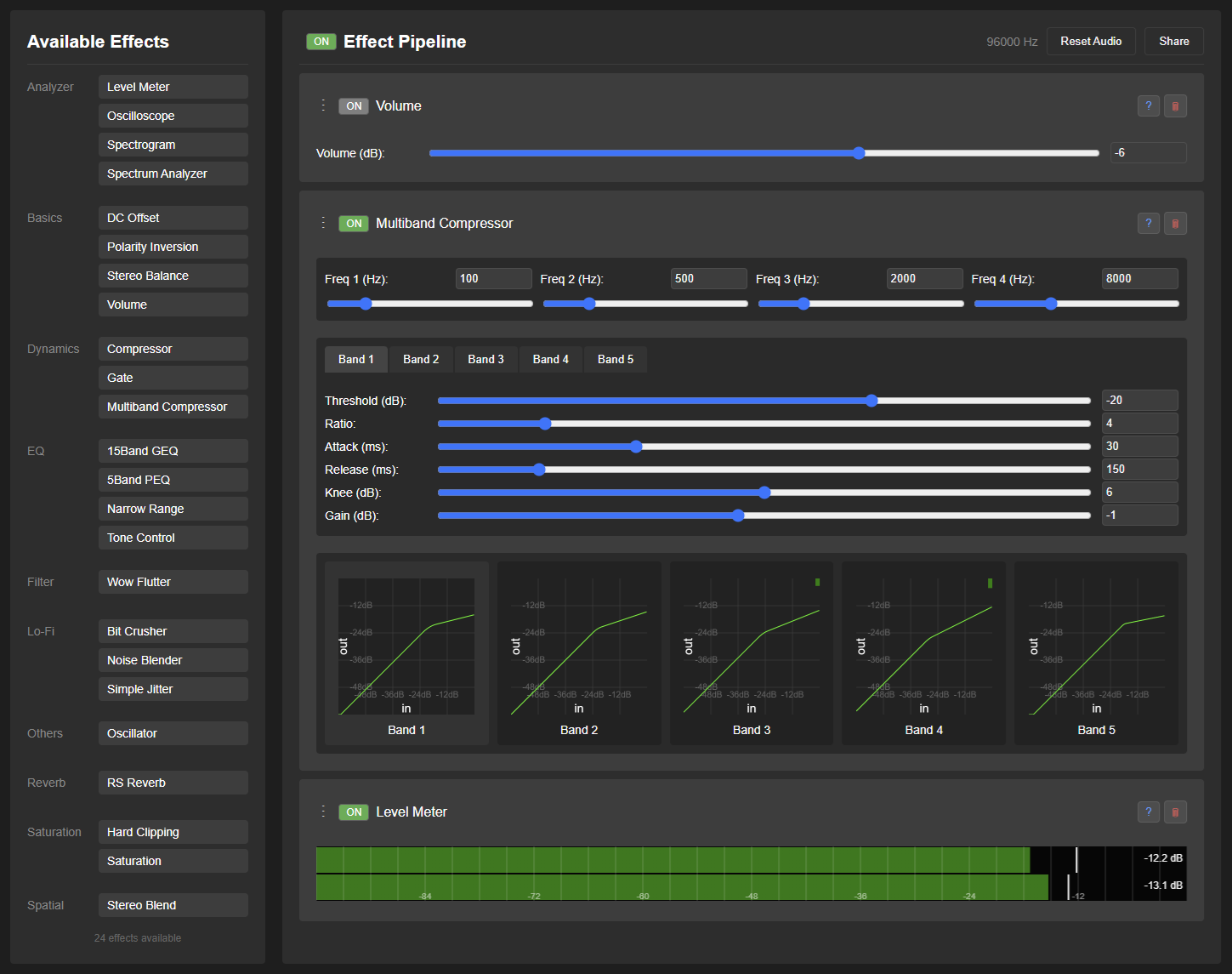
Drag effects into a live pipeline, compare A/B settings, group sections, and save complete presets.
 Frieve EffeTune
Real-time Audio Effect Processor
Color the music, unleash your senses. Build precise effect chains for streaming, local files, physical sources, measurement, and multichannel playback.
Designed for listening systems
Drag effects into a live pipeline, compare A/B settings, group sections, and save complete presets.
Use virtual audio devices, interfaces, HDMI multichannel output, or local files without leaving the app.
Run frequency response measurement, generate correction EQ, and keep analysis tools in the same workflow.
Documentation
Complete guide

[中文 (简体)] [Español] [हिन्दी] [العربية] [Português] [Русский] [日本語] [한국어] [Français]
A real-time audio effect processor designed for audio enthusiasts to enhance their music listening experience. EffeTune allows you to process any audio source through various high-quality effects, enabling you to customize and perfect your listening experience in real-time.
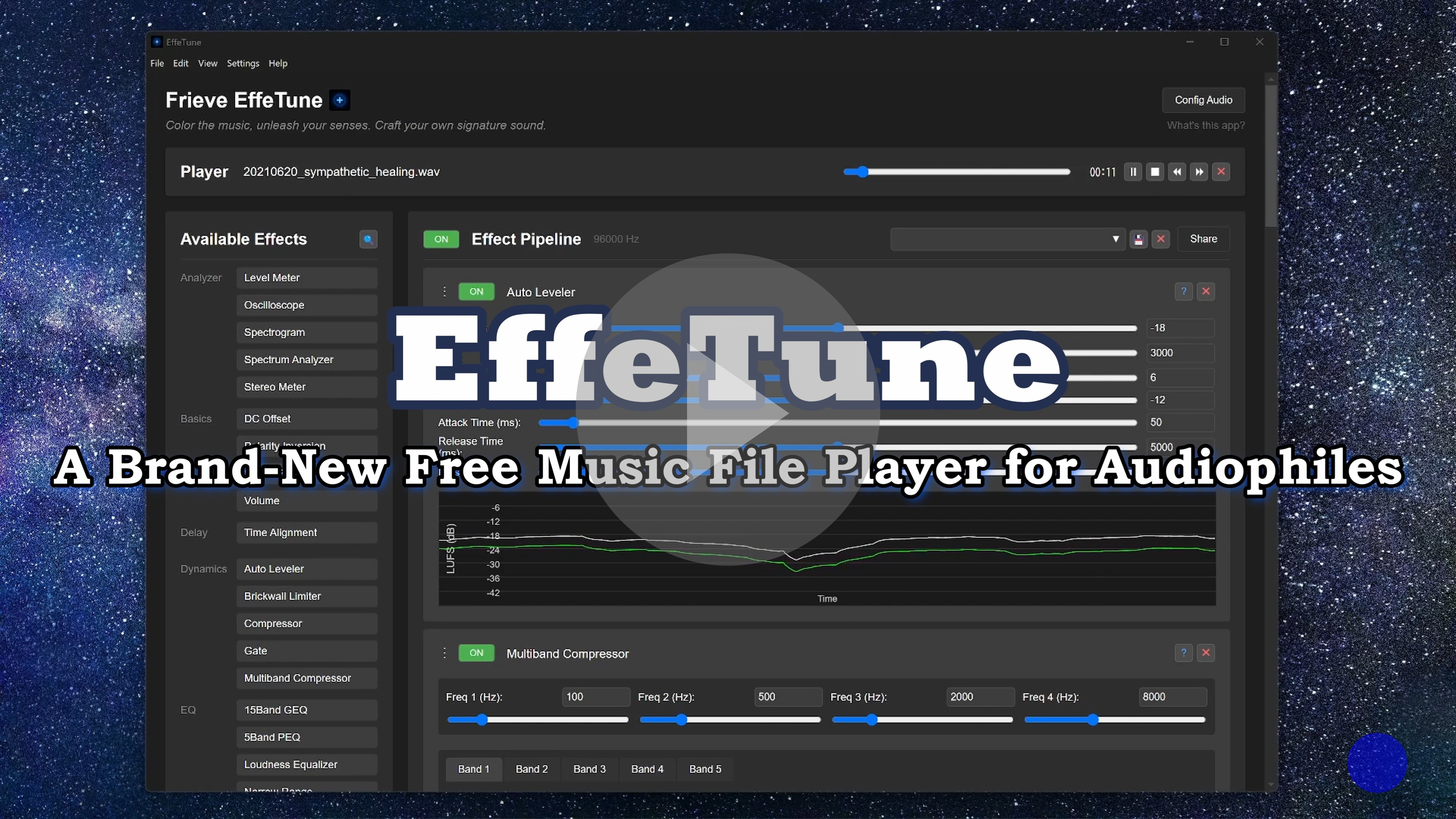
EffeTune was created for audio enthusiasts who want to elevate their music listening experience. Whether you’re streaming music or playing from physical media, EffeTune lets you add high-quality effects to customize the sound to your exact preferences. Transform your computer into a powerful audio effects processor that sits between your audio source and your speakers or amplifier.
No audiophile myths, Just pure science.
Use Android 10 or later with an up-to-date Android System WebView. Open music files or select a folder in Music Library; Android asks which files and folders EffeTune may use. If a folder becomes unavailable, select it again in the library. Playback continues with the screen off, and notification and lock-screen controls operate the same player.
Save or share exported files through Android’s file and sharing screens. Batch audio export asks for an output folder and runs while the app is open. The Android app and the web app keep separate data. Use Backup / Restore to exchange presets, impulse responses, measurements, and visualizer data (up to 256 MB); music files, the music catalog, connection credentials, and settings are not included. Effects process audio played or received by EffeTune; they do not replace the sound of other Android apps.
MIDI parameter mappings and scheduled parameter changes continue with the screen off. Keyboard and gamepad controls require the app to be open. Android supports MIDI input; motor-fader and LED feedback are not sent. Tap the Remote Control toolbar icon to allow incoming control and copy a pairing link. Keep that link private.
Choose the setup below that matches the audio source you want to listen to.
The desktop app’s Browser plays audio from websites through your current effects without a virtual audio device.
Use Back, Forward, Reload, and Stop to navigate. Open Bookmarks to add the current page, open a saved page, rename a bookmark, or delete it. The browser menu contains Show start page, Open in default browser, Use as start page, and Clear site data. Bookmarks and the chosen start page are saved. Website sign-ins are kept separately, so you can return to a site after restarting the app. Browser pages follow the app’s zoom level. Default scrollbars follow the app’s theme colors; websites can supply their own scrollbar styles.
While the browser toolbar has focus, use F5 to reload, F6 to select the address, Alt+Left/Right to go back or forward, and Alt+Home to show the start page. These shortcuts also work within a page. With a page focused, Ctrl/Cmd+L selects the address, Ctrl/Cmd+R reloads, and Ctrl/Cmd+D opens Bookmarks; on macOS, Cmd+[/] goes back or forward. Escape stops a loading page. Right-click a page for navigation, a link to open it here or in your default browser or copy its address, and selected text or a text field for available editing commands. Outside the page, existing app shortcuts keep their usual functions.
Opening or returning to Browser automatically selects browser audio. Browser audio is mixed with your selected input device. Choose None for the input device to listen to browser audio alone. The Player input option does not affect Browser playback. Local music playback can continue alongside browser audio. If audio capture stops, click Browser again to retry. Clear site data signs you out of websites and clears their stored data while keeping bookmarks.
Use Close on the browser toolbar to stop browser audio processing and return to Effect Pipeline. The page and browsing history are kept. Open Browser again to resume audio processing on the same page.
In Settings > Config… > Browser:
To switch effects automatically between websites, save your pipelines as presets first. Under URL rules, click Add rule, enter a website and path such as example.com/music/*, and select a pipeline preset. Omit http:// or https://, query strings, and # fragments; * matches any text. Use the up/down buttons to set priority, then click Save rules. The first enabled matching rule with an available preset wins.
Rules apply while Browser audio is selected, including when you switch to another view. Saving rules, opening Browser, or navigating to a matching page can load its preset. Navigation within the same preset’s rule keeps your manual adjustments. If no rule matches, your current pipeline stays unchanged.
Some websites do not allow embedded browsers, sign-in, protected playback, or audio capture. Availability depends on the website and operating system; DRM playback is not guaranteed. If sign-in is refused, try another sign-in method offered by the site or use your normal browser. Signing in there does not sign you in inside EffeTune. The Browser feature is available only in the desktop app.
Process up to four Chrome or Edge tabs with separate effect pipelines, URL-based preset selection, and a selectable sample rate, without a virtual audio device. See the Browser Extension guide.
To process audio from streaming services (Spotify, YouTube Music, etc.):
In the desktop app, first try Desktop Browser Setup. To use a separate streaming app or a source that the built-in browser cannot play, use the audio-device setup below.
To use EffeTune with CD players, network players, or other physical sources:
The desktop app opens maximized on first launch. On subsequent launches, it restores the window’s previous size, position, and maximized state.
On your first launch, a short tour shows you where to play music, add effects, and adjust your sound. You can reopen it anytime with Take the tour in the settings menu, the desktop app’s Help menu, or the menu button on mobile.
Click the padlock next to × to lock or unlock an effect’s settings. Locking prevents changes through its parameter controls, reset, Effect Presets, and routing. Audio processing, ON/OFF, reordering, collapsing, and removal remain available. Collapsed and locked states are saved and restored with the pipeline, including pipeline presets and the last session. The padlock is yellow while locked and blinks if you try to edit. Graph readouts and display tabs remain available.
You can organize the music files stored on your device in a library.
You can enjoy visualizations based on the music that is playing.
Open Visualizer from the PC header, the mobile Player tab, or the desktop View menu. Choose a built-in layout or select Edit to arrange audio graphs, artwork, and track information. Changes take effect immediately and return at the next launch; use the preset dialog to save a named copy. Hover over or tap the display and select ⛶ to fill the app window. See the Visualizer guide for editing, effects, and display options.
You can save and load the effect pipelines you create.
Click the Pipeline Presets button in the Effect Pipeline header to open the preset dialog.
Each effect also has its own Effect Presets button. It opens system presets when the effect provides them and lets you save, rename, load, or remove your own settings for that effect. Effect presets change only that effect’s parameters; they do not change its ON/OFF state or routing.
The existing .effetune_preset file import, export, and sharing features continue to use complete effect-chain presets.
For finished stereo mixes, System Presets > Mastering offers ten genre-based chains, including a heavily compressed J-Pop Dense preset. See Mastering Presets for choosing a chain, adjusting input level, and exporting processed audio.
Control effect parameters with MIDI, gamepads, or the keyboard
You can group multiple effects and control them together.
You can switch between two effect pipelines to compare how they sound.
You can apply the effect chain to music files and save the processed audio as new files.
You can share your effect chain configuration with other users.
.effetune_preset file from the File menu.effetune_preset file. The .effetune_preset file can also be loaded by dragging it into the web app windowOpen Settings > Backup / Restore to move saved pipeline presets, effect presets, impulse responses, and measurements between the web app, desktop app, and browser extension. In the web and desktop apps, named Visualizer presets can also be included. Selecting a preset automatically selects any measurement or impulse-response data it uses.
Include measurement data and Include impulse response data are enabled by default so backups are self-contained. Turn either option off only when the destination already has the matching measurement or impulse-response files. Restored impulse responses are added to EffeTune’s Impulse Response Library. Restoring a backup does not change the current pipeline, volume, selected preset, device settings, Music Library, or extension URL rules. Each .effetune_backup file supports up to 256 MB; split larger backups into separate files if needed. If restoration stops, completed items remain and you can safely restore the same file again.
Before sharing a backup, review the selection: it can contain preset names and comments, original impulse-response files, and measurement details. Music files, Music Library data, application preferences, device choices, URL rules, credentials, and an unsaved current pipeline are not included.
Open Settings > Config… to choose Language, set Startup view: (Effect Pipeline (Default), Music Library, or Visualizer), configure Effect Pipeline at startup:, and select a Theme (Graphite, Paper, Midnight, Ember, or Mint). When Startup view: is set to Music Library, you can also choose which library category opens first. In the desktop app, you can also select Browser as the startup view.
To keep separate desktop settings, add a settings name when launching EffeTune. For example, on Windows:
EffeTune.exe --settings-name=Headphones
EffeTune.exe --settings-name=Speakers
Each name starts with default settings and restores its own audio devices, effect pipeline, and display and startup settings on later launches. Put names containing spaces in quotes, such as --settings-name="Living room". Omit the option to use your usual settings. Measurements, saved presets, and music, IR, and instrument libraries use the same storage regardless of the settings name. Close the app using measurement data before opening that data in another EffeTune instance.
Different settings names can run at the same time. Startup > Allow multiple instances also allows several windows using the same settings name; it is off by default. After changing it, close all EffeTune windows and restart the app. Windows using the same settings name share saved settings.
For Effect Pipeline columns, choose Manual to adjust the column count with the +/− buttons, or Automatic (default) to fit the columns alongside the effect list within the window width. Automatic mode adjusts the column count when you resize the window.
The Microsoft Store edition receives updates through Microsoft Store. In Settings > Config…, use Open Microsoft Store updates to check for updates and Open Windows startup settings to choose whether EffeTune starts automatically. This edition stores its settings and Browser sign-ins separately from other desktop editions.
Measure your audio system with a microphone to inspect frequency response, impulse response, distortion, and decay, and create a correction EQ that can be imported into EffeTune; see Acoustic Measurement and the Pipeline Analyzer guide.
If you experience audio issues (dropouts, glitches):
Desktop app: Browse network music servers, including Subsonic / OpenSubsonic, share selected music folders, and choose this device, an OpenHome player, or a UPnP AV / DLNA player for playback. An EffeTune player’s effects can be edited in the same window after pairing. Sharing and incoming remote control start disabled. See network music and remote control. UPnP AV / DLNA and AirPlay reception can also be enabled to listen to music sent from other devices through this computer’s effects.
The PWA can play a registered EffeTune computer’s shared music and permitted network libraries through this device’s effects, or control a permitted network player. Direct Subsonic connections are also available. See PWA setup and playback for browser and connection requirements.
Codex or Claude Code can set up MCP and then help you add effects, adjust their settings, and load or save presets in the EffeTune desktop app. Use an agent that can run commands on your computer.
Set up EffeTune MCP following the official guide below.
https://github.com/Frieve-A/effetune/blob/main/mcp/README.md
Pairing link: <paste the copied link here>
After setup, follow any restart instructions, then try asking, “Show my current effects.” Keep the pairing link private; if you select New token or change the port, repeat setup with the new link.
Add songs to the paired EffeTune app’s Music Library, then ask, “Play [song].” The assistant checks that app’s library first and plays through its player by default; you do not need to share its music folder. To use another library or player, name it in your request: “Find [song] in [library] and play it on [player].” If another EffeTune computer supplies the music, share its folder there first.
Here are some popular effect combinations to enhance your listening experience:
If you encounter any issues, please refer to the Troubleshooting and FAQ. If the problem persists, report it through GitHub Issues.
| Category | Effect | Description | Documentation |
|---|---|---|---|
| Analyzer | Analog Meter | Shows channel levels on a needle meter with VU, PPM, peak, and loudness scales | Details |
| Analyzer | Chroma Spiral | Shows frequency components by note and octave on a spiral | Details |
| Analyzer | Level Meter | Displays audio level with peak hold | Details |
| Analyzer | Note Spectrogram | Shows estimated pitches over time as a scrolling piano roll | Details |
| Analyzer | Oscilloscope | Real-time waveform visualization | Details |
| Analyzer | Pitch Meter | Tracks one fundamental pitch and its tuning over time | Details |
| Analyzer | Rhythm Analyzer | Shows tempo and hit timing by frequency band or drum class | Details |
| Analyzer | Spectrogram | Shows frequency spectrum changes over time | Details |
| Analyzer | Spectrum Analyzer | Shows the strength of bass, mids, and treble in real time | Details |
| Analyzer | Stereo Meter | Visualizes stereo balance and channel correlation | Details |
| Basics | Bass Management | Redirects low frequencies to one or more subwoofers and sums LFE with main-channel bass | Details |
| Basics | Channel Divider | Splits stereo signal into frequency bands and routes each band to separate stereo output pairs | Details |
| Basics | DC Offset | DC offset adjustment | Details |
| Basics | FIR Crossover | FIR crossover that routes steeply separated frequency bands to stereo output pairs | Details |
| Basics | Matrix | Routes and mixes audio channels with flexible control | Details |
| Basics | MultiChannel Panel | Control panel for multiple channels with volume, mute, solo and delay | Details |
| Basics | Mute | Completely silences the audio signal | Details |
| Basics | Polarity Inversion | Signal polarity inversion | Details |
| Basics | Stereo Balance | Stereo channel balance control | Details |
| Basics | Volume | Basic volume control | Details |
| Delay | Delay | Standard delay effect | Details |
| Delay | Time Alignment | Fine-tunes playback timing for speaker and listening-position alignment | Details |
| Dynamics | Attack Tonal Balance | Balances short attacks and sustained tonal structure | Details |
| Dynamics | Auto Leveler | Automatic volume adjustment based on LUFS measurement for consistent listening experience | Details |
| Dynamics | Brickwall Limiter | Limits signal peaks to prevent digital clipping | Details |
| Dynamics | Compressor | Smooths sudden loud passages for more comfortable listening | Details |
| Dynamics | Expander | Restores dynamic contrast by making below-threshold quiet sounds quieter | Details |
| Dynamics | Gate | Reduces low-level sound during gaps or quiet sections | Details |
| Dynamics | Multiband Compressor | 5-band volume balancing for a steady, radio-like listening sound | Details |
| Dynamics | Multiband Expander | 5-band expander for restoring natural contrast in overly flat recordings | Details |
| Dynamics | Multiband Transient | Shapes attack and sustain separately across bass, mid, and treble ranges | Details |
| Dynamics | Power Amp Sag | Simulates power amplifier voltage sag under high load conditions | Details |
| Dynamics | Transient Shaper | Adjusts the punch and body of music by shaping attacks and sustain | Details |
| EQ | 15Band GEQ | 15-band graphic equalizer | Details |
| EQ | 15Band PEQ | 15-band parametric equalizer for detailed listening tone adjustment | Details |
| EQ | 5Band Dynamic EQ | 5-band dynamic equalizer with threshold-based frequency adjustment | Details |
| EQ | 5Band FIR PEQ | Five-band parametric tone shaping implemented as a minimum- or linear-phase FIR filter | Details |
| EQ | 5Band PEQ | Flexible 5-band equalizer for shaping bass, mids, and treble | Details |
| EQ | Band Pass Filter | Focus on specific frequencies | Details |
| EQ | Comb Filter | Adds phasey, hollow, or metallic coloration | Details |
| EQ | Earphone Cable Sim | Helps check how small normal earphone-cable response shifts usually are | Details |
| EQ | Group Delay EQ | Adjusts the delay of each frequency band without changing the tone | Details |
| EQ | Group Delay PEQ | Five-band parametric control of per-frequency delay without changing the tone | Details |
| EQ | Hi Pass Filter | Remove unwanted low frequencies with precision | Details |
| EQ | Lo Pass Filter | Remove unwanted high frequencies with precision | Details |
| EQ | Loudness Equalizer | Frequency balance correction for low-volume listening | Details |
| EQ | Narrow Range | Combination of high-pass and low-pass filters | Details |
| EQ | Room EQ | FIR correction from saved room measurements | Details |
| EQ | Tilt EQ | Tilt equalizer for quick tone shaping | Details |
| EQ | Tonal Balance EQ | Automatically corrects the long-term tonal balance toward a music-style target | Details |
| EQ | Tone Control | Three-band tone control | Details |
| Lo-Fi | AM Radio Simulator | Passes music through a modeled AM broadcast and receiver chain | Details |
| Lo-Fi | Bit Crusher | Bit depth reduction and zero-order hold effect | Details |
| Lo-Fi | Cassette Artifacts | Records music onto a modeled compact cassette and plays it back through a Type I/II/IV deck with Dolby B/C | Details |
| Lo-Fi | Digital Error Emulator | Simulates various digital audio transmission errors and vintage digital equipment characteristics | Details |
| Lo-Fi | DSD64 IMD Simulator | Simulates audible intermodulation distortion from DSD64 ultrasonic noise | Details |
| Lo-Fi | FM Radio Simulator | Passes music through a physically simulated FM broadcast and receiver chain | Details |
| Lo-Fi | G.726 Simulator | Simulates an ITU-T G.726 speech-codec encode/decode round trip with an optional noisy radio link | Details |
| Lo-Fi | GSM-FR Simulator | Simulates a 13 kbit/s GSM-FR speech-codec encode/decode round trip over a radio link with frame erasure concealment | Details |
| Lo-Fi | Hum Generator | Adds controllable 50/60 Hz electrical hum ambience for vintage/lo-fi listening | Details |
| Lo-Fi | MD Simulator | Simulates a MiniDisc-era ATRAC encode and decode round trip | Details |
| Lo-Fi | MP3 Codec Simulator | Simulates a clean low-bitrate MPEG Layer III encode/decode round trip | Details |
| Lo-Fi | Noise Blender | Adds adjustable background noise texture for lo-fi ambience | Details |
| Lo-Fi | SBC Codec Simulator | Simulates a Bluetooth A2DP SBC encode/decode round trip with optional link packet loss and concealment | Details |
| Lo-Fi | Simple Jitter | Digital jitter simulation | Details |
| Lo-Fi | SW Radio Simulator | Passes music through a modeled shortwave broadcast, ionospheric path, and receiver chain | Details |
| Lo-Fi | Tape Artifacts | Records music onto a modeled reel-to-reel tape and plays it back | Details |
| Lo-Fi | TV Audio Simulator | Passes music through modeled analogue and NICAM television broadcast sound paths | Details |
| Lo-Fi | Vinyl Artifacts | Adds vinyl-style pops, crackle, hiss, rumble, and stereo noise bleed | Details |
| Lo-Fi | Vinyl Simulator | Cuts the input into a modeled groove and plays it back with a physical stylus model | Details |
| Modulation | Auto Filter | Sweeps a resonant filter with an LFO or the music’s amplitude envelope | Details |
| Modulation | Auto Pan | Moves stereo-pair level smoothly across the listening field | Details |
| Modulation | Chorus | Adds moving delayed voices for chorus, ensemble, flanging, or vibrato | Details |
| Modulation | Doppler Distortion | Simulates natural, dynamic changes in sound caused by subtle speaker cone movements | Details |
| Modulation | Frequency Shifter | Translates frequencies, applies ring modulation, or creates a barber-pole shift | Details |
| Modulation | Phaser | Creates moving peaks and notches with classic or barber-pole sweeps | Details |
| Modulation | Pitch Shifter | Raises or lowers music pitch without changing tempo | Details |
| Modulation | Pitch Shifter HQ | Raises or lowers pitch with fewer phase artifacts for careful listening | Details |
| Modulation | Rotary Speaker | Combines independent horn and drum motion for a rotary-speaker effect | Details |
| Modulation | Tremolo | Volume-based modulation effect | Details |
| Modulation | Wow Flutter | Adds subtle tape or record-style pitch wavering for vintage character | Details |
| Resonator | Adaptive Prediction | Learns audio predictions to extract residuals or create evolving resonance | Details |
| Resonator | Horn Resonator | Horn resonance simulation with customizable dimensions | Details |
| Resonator | Horn Resonator Plus | Smoother horn-speaker resonance for natural listening color | Details |
| Resonator | Modal Resonator | Frequency resonance effect with up to 5 resonators | Details |
| Restoration | Click Remover | Repairs short clicks, crackles, pops, and dropouts | Details |
| Restoration | Clip Restorer | Restores peaks flattened by hard clipping | Details |
| Restoration | Hum Remover | Removes steady electrical hum and its harmonics | Details |
| Restoration | Noise Reduction | Reduces steady background noise while preserving the music | Details |
| Reverb | Dattorro Plate Reverb | Classic plate reverb based on Dattorro algorithm | Details |
| Reverb | FDN Reverb | Feedback Delay Network reverb with rich, dense reverb textures | Details |
| Reverb | IR Reverb | Convolution reverb using imported room and equipment impulse responses | Details |
| Reverb | RS Reverb | Random scattering reverb with natural diffusion | Details |
| Saturation | Bandwidth Extender | Generates high-frequency content above a detected or specified cutoff | Details |
| Saturation | Bass Extender | Generates low bass one octave below suitable bass content | Details |
| Saturation | Dynamic Saturation | Simulates the nonlinear displacement of speaker cones | Details |
| Saturation | Exciter | Add harmonic content to enhance clarity and presence | Details |
| Saturation | Hard Clipping | Digital hard clipping effect | Details |
| Saturation | Harmonic Distortion | Adds character with adjustable 2nd- to 5th-order harmonic distortion | Details |
| Saturation | Multiband Saturation | Adds warmth or edge separately to low, mid, and high ranges | Details |
| Saturation | Saturation | Adds warm analog-style richness and character | Details |
| Saturation | Sub Synth | Mixes in a filtered low-frequency signal for bass enhancement | Details |
| Saturation | Tube Simulator | Models tube line stages and push-pull or single-ended triode (300B/2A3) power amplifiers | Details |
| Spatial | Crossfeed Filter | Headphone crossfeed filter for natural stereo imaging | Details |
| Spatial | Crosstalk Cancellation | Uses in-ear measurements to reduce crosstalk between stereo speakers | Details |
| Spatial | MS Matrix | Converts between stereo and Mid/Side for center/ambience adjustments | Details |
| Spatial | Multiband Balance | 5-band frequency-dependent stereo balance control | Details |
| Spatial | Phase Select EQ | Boosts or cuts frequency components selected by L/R phase difference and Balance | Details |
| Spatial | Spatial Mapper | Separates direct, diffuse, and residual sound for flexible multichannel routing | Details |
| Spatial | Stereo Blend | Controls stereo width from polarity-swapped stereo through mono to enhanced stereo | Details |
| Others | Oscillator | Test tone and noise generator for checking speakers/headphones | Details |
| Others | SoundFont Note Player | Plays detected notes with SF2/SF3 SoundFonts and SFZ instruments | Details |
| Others | SoundFont Player | Plays MIDI with SF2/SF3 SoundFonts or SFZ instruments, with 16 independent SF2/SF3 channels | Details |
| Control | Section | Groups effects so a whole section can be bypassed or restored | Details |
Frieve EffeTune has been tested and verified to work on Google Chrome. The application requires a modern browser with support for:
Set EffeTune’s Sample Rate to 96 kHz. This reduces audible aliasing from nonlinear effects such as saturation. This setting controls EffeTune’s internal processing rate and works independently of your OS, audio interface, or virtual audio device sample rate. Check the effective Sample Rate shown in the app: until you save a setting, it may follow the OS or browser default, and the web app may fall back to another rate if 96 kHz is unavailable. If playback drops out, first disable demanding effects or shorten the chain; lower the sample rate only if needed.

Want to create your own audio plugins? Check out our Plugin Development Guide.
EffeTune’s DSP engine is also an independent, deterministic MIT-licensed library for Python, JavaScript, and browser AudioWorklets. Its public Chain schema and generated effect catalog can be used without the EffeTune app. See the EffeTune DSP Library documentation.
Use the package quickstarts for installation and complete runnable examples:
The DSP Library guide covers effects, schemas, processing behavior, and required assets.